Adding a new User

You can search for an existing User (1)
Filter via their role (2) and their status (3) which is active or inactive.
If you want to add a new user click the 'Add user' button (4)
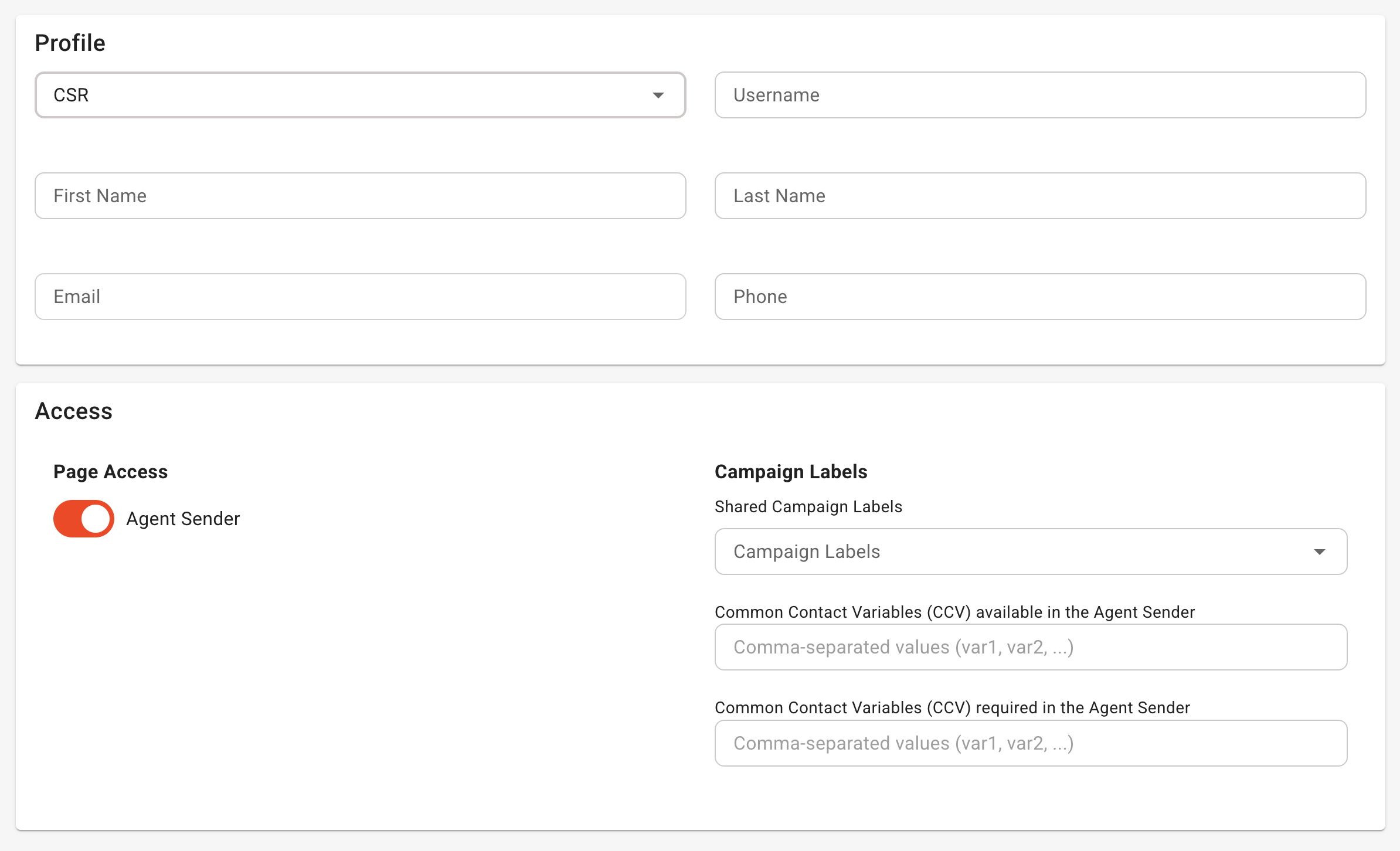
Adding a CSR account
A customer service representative (CSR) is a limited type of account on trustMinder.
It only has access to the Agent Sender functionality.
Select Role=CSR, give the account a username (it must be unique), the person's first name, last name, their email (required) and optionally their mobile number.
In order for the CSR to send surveys, you can share a label of a campaign with them.
If you want additional Custom Contact Variables to be available to the CSR you can set these in two ways.
- Variables that are available
- Variables that are _required_ to be filled in before the send button is available to the CSR.
Was this article helpful?
That’s Great!
Thank you for your feedback
Sorry! We couldn't be helpful
Thank you for your feedback
Feedback sent
We appreciate your effort and will try to fix the article