Adding a new User

You can search for an existing User (1)
Filter via their role (2) and their status (3) which is active or inactive.
If you want to add a new user click the 'Add user' button (4)
Adding an Analyst Account
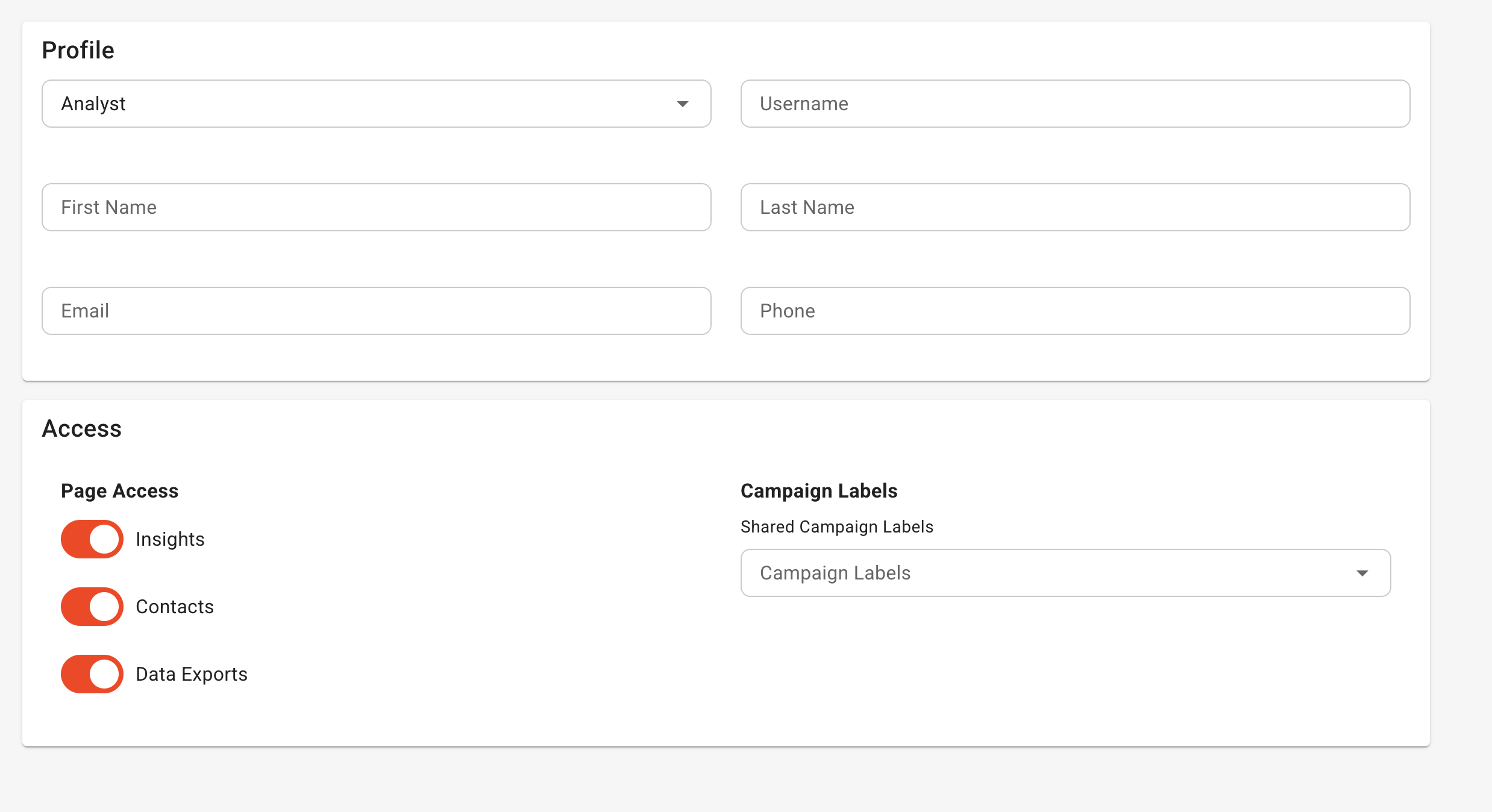
Profile
Select Analyst from the Role.
Set the username (unique) the person's first and last name, their email (required) and the optionally their phone number.
Access
You can set what the Analyst account can have access too.
- Insights
- Contact
- Data Exports
If you enable Insights or data exports you can set what Campaign Labels they will have access to. By default they don't have access to any campaign. You must select a label that represents a campaign or a group of campaigns.
Was this article helpful?
That’s Great!
Thank you for your feedback
Sorry! We couldn't be helpful
Thank you for your feedback
Feedback sent
We appreciate your effort and will try to fix the article